Now available for macOS
Email that feels
like freedom
A beautiful Gmail-like experience for your Microsoft email on macOS. No more fighting with Outlook. Just email, done right.
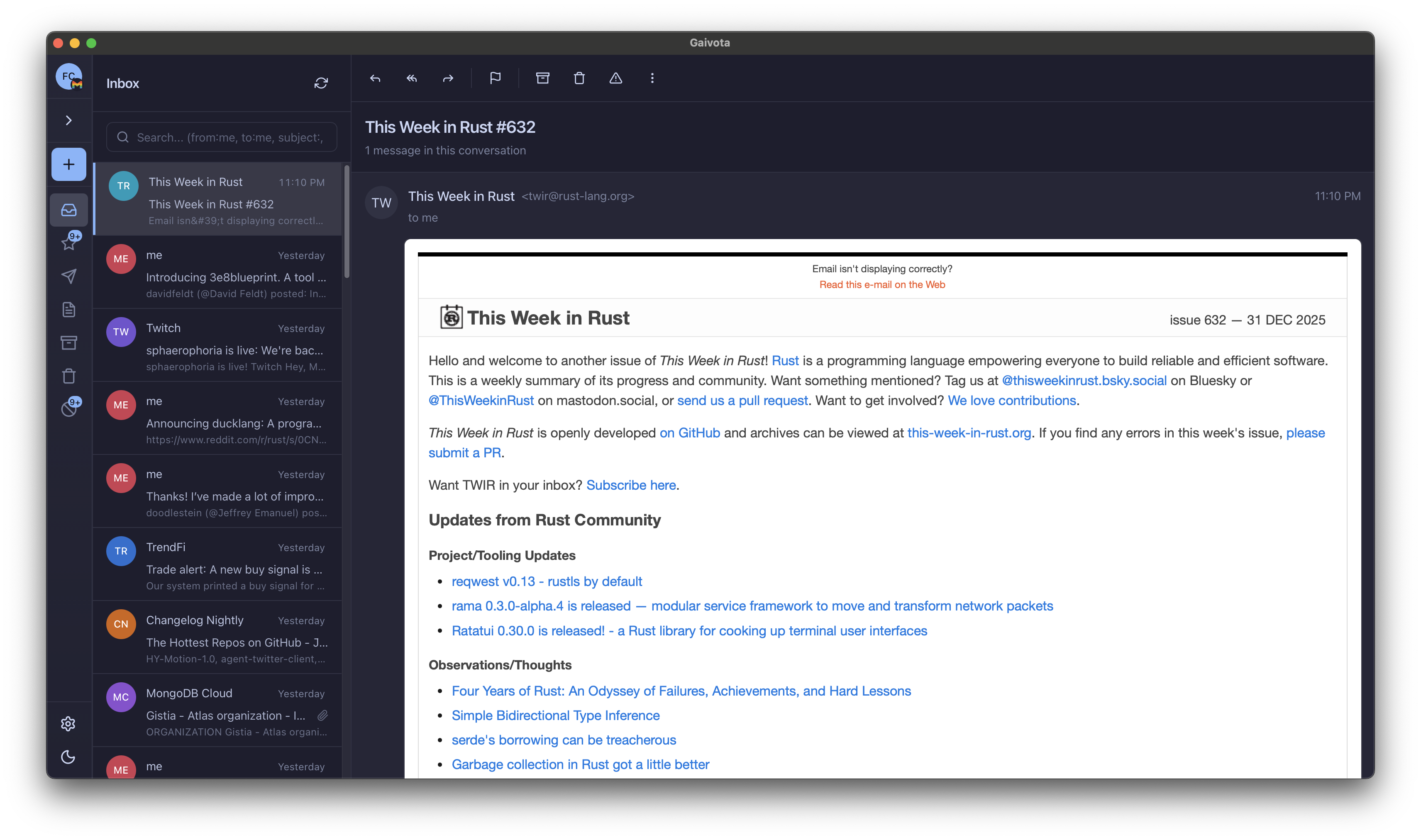
A beautiful Gmail-like experience for your Microsoft email on macOS. No more fighting with Outlook. Just email, done right.
You switched to Mac for a reason. Your email client shouldn't feel like it's fighting you.
Outlook takes forever to launch, search is slow, and the UI lags behind every click. Life's too short.
Ribbons, panels, sidebars everywhere. Finding the compose button shouldn't require a treasure map.
No proper keyboard shortcuts. No native notifications. It feels like a Windows app in disguise.
Can never find that email from last week. Meanwhile, Gmail search finds everything instantly.
Gaivota brings the Gmail experience you love to your Microsoft email accounts. Fast, clean, and designed for Mac.
Built native for macOS with Swift. Launches instantly, searches in milliseconds, and never keeps you waiting.
Clean, focused inbox with the familiar layout you love. No ribbons, no clutter.
Full keyboard navigation with Gmail shortcuts. j/k to navigate, e to archive, r to reply.
Proper macOS notifications that actually work. Focus modes, badges, sounds—all native.
Find any email in seconds. Full-text search with smart filters and natural language support.
Beautiful dark mode that follows your system preferences. Easy on the eyes, day or night.
See how Gaivota stacks up against Microsoft's default email client for Mac.
Finally, I can use my work email without wanting to throw my laptop out the window. Gaivota feels like Gmail, but for my Microsoft account. It's exactly what I needed.
I switched from Gmail to a company using Microsoft 365 and dreaded using Outlook daily. Gaivota made the transition painless—it's fast, beautiful, and just works.
The keyboard shortcuts alone are worth it. j, k, e, r—it's muscle memory from Gmail. Except now I can use it with my corporate email. Brilliant.
Download Gaivota for free and experience email the way it was meant to be on Mac.